



G Screen for Gen 3 Dual Battery Systems
Description
G Screen Monitoring System for Gen 3 Dual Battery Systems
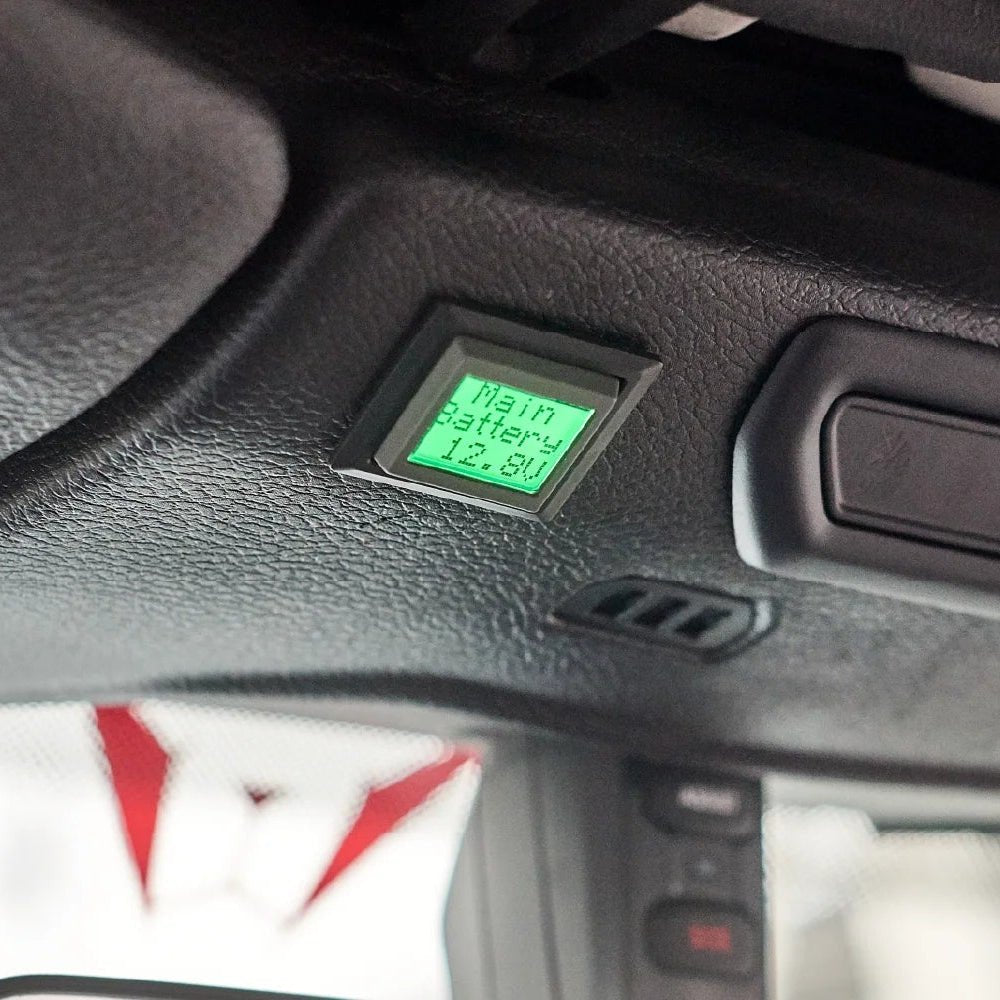
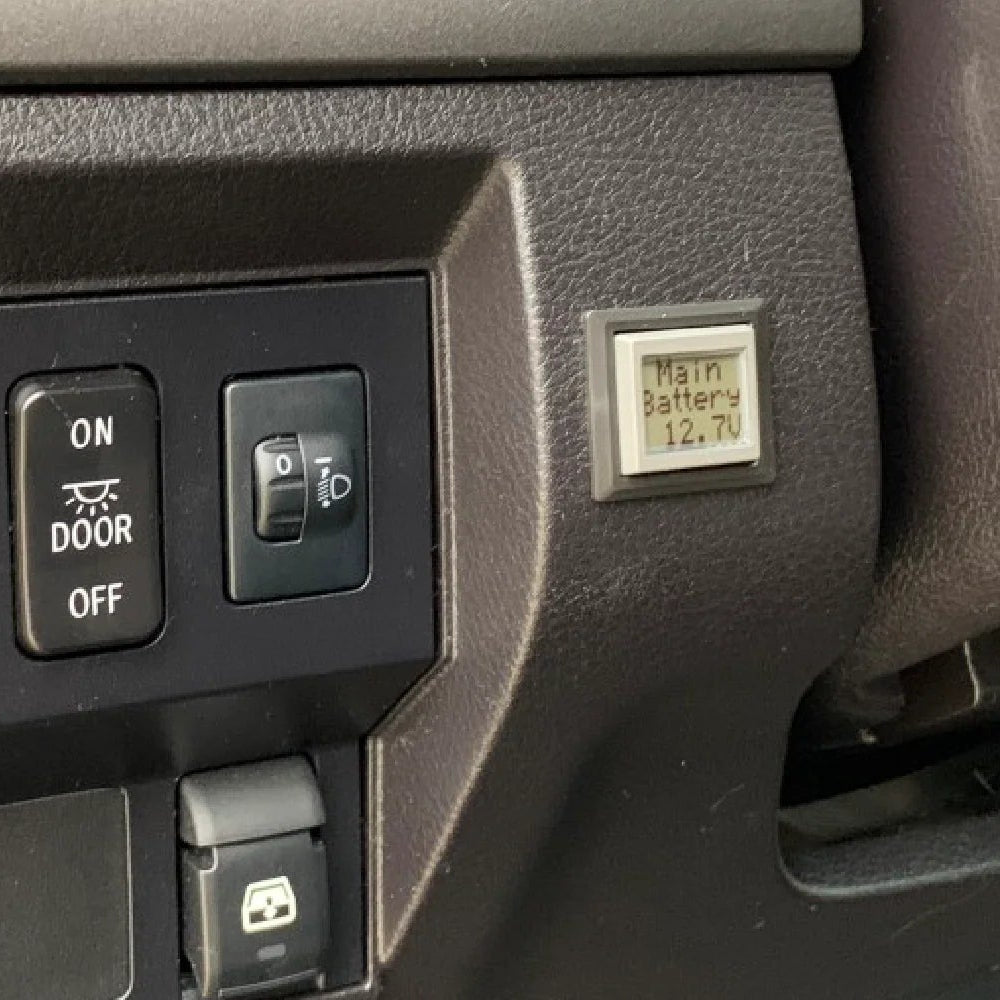
The G Screen provides clear, real-time visibility into the status of your Genesis Offroad dual battery system. It displays main and auxiliary battery voltage, system status, and boost functions through a simple, easy-to-use interface designed for Gen 3 Power Hub kits.

Real-Time System Monitoring
View voltage levels for both batteries and see whether the batteries are connected or isolated. The status screen shows Auto, Auto Off, and Auto On modes so you always know how your system is behaving.

Remote Boost Control
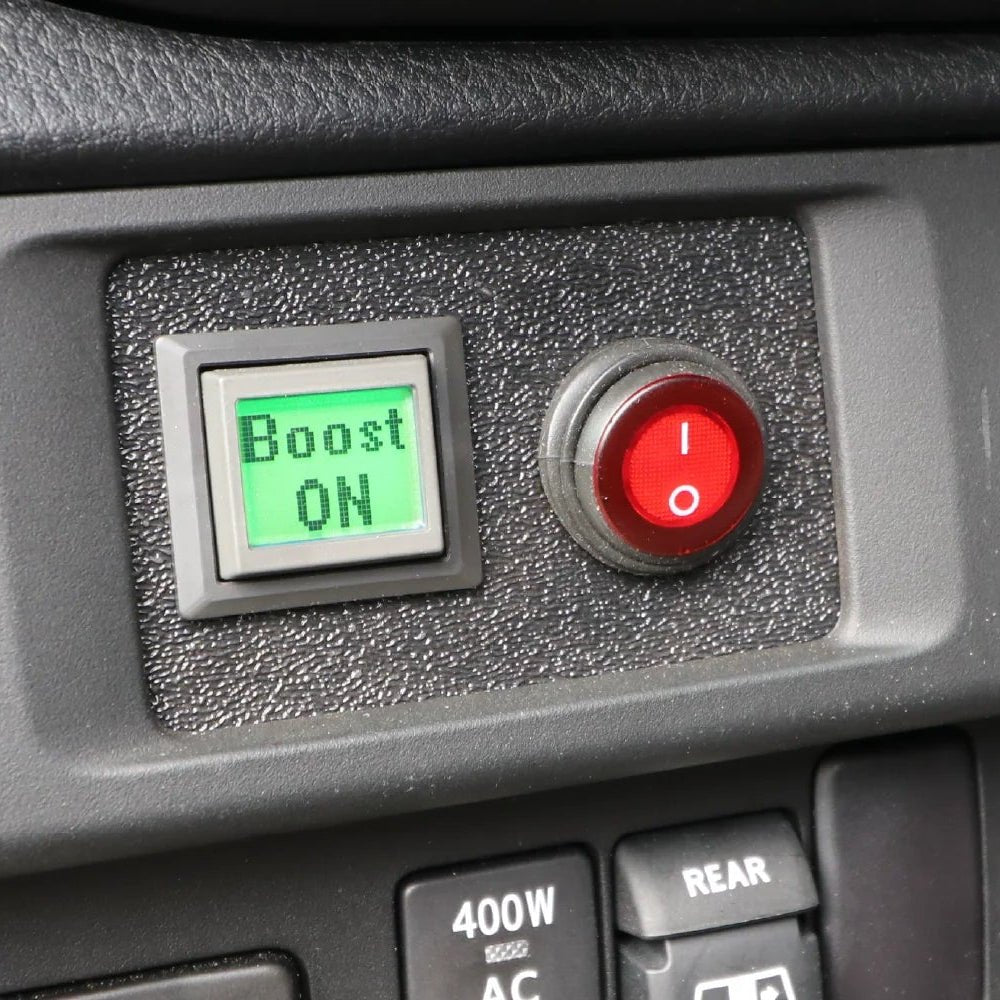
Access the Boost menu directly from the display. Select Boost On to manually connect the batteries for jump-starting if your cranking battery is too low. Switch back to Boost Off or Auto mode at any time.

Optional Air Pressure Display
If equipped with the Digital Air Pressure Sensor kit, the G Screen can show onboard air tank pressure. Without the sensor, this screen remains hidden.

Simple, Clean Installation
The kit installs easily using the included cutout guide. Feed the ribbon cable through the dash opening, snap the screen into place, plug in the module, and route the 13-foot cable through the firewall to the Power Hub.

Connection Details
- Gray cable to module
- Ribbon cable to G Screen
- Gray cable to Power Hub
Specs
- Display Functions: Main voltage, aux voltage, status, boost menu
- Modes: Auto, Auto Off, Auto On, Boost On, Boost Off
- Optional Display: Onboard air pressure (with sensor kit)
- Firmware Screen: Shows current firmware and supports contrast adjustment
- Cable Length: 13ft gray interface cable
- Compatibility: Gen 3 Dual Battery Systems
Partner item — ships directly from Genesis Offroad.
Description
G Screen Monitoring System for Gen 3 Dual Battery Systems
The G Screen provides clear, real-time visibility into the status of your Genesis Offroad dual battery system. It displays main and auxiliary battery voltage, system status, and boost functions through a simple, easy-to-use interface designed for Gen 3 Power Hub kits.
Real-Time System Monitoring
View voltage levels for both batteries and see whether the batteries are connected or isolated. The status screen shows Auto, Auto Off, and Auto On modes so you always know how your system is behaving.
Remote Boost Control
Access the Boost menu directly from the display. Select Boost On to manually connect the batteries for jump-starting if your cranking battery is too low. Switch back to Boost Off or Auto mode at any time.
Optional Air Pressure Display
If equipped with the Digital Air Pressure Sensor kit, the G Screen can show onboard air tank pressure. Without the sensor, this screen remains hidden.
Simple, Clean Installation
The kit installs easily using the included cutout guide. Feed the ribbon cable through the dash opening, snap the screen into place, plug in the module, and route the 13-foot cable through the firewall to the Power Hub.
Connection Details
- Gray cable to module
- Ribbon cable to G Screen
- Gray cable to Power Hub
Specs
- Display Functions: Main voltage, aux voltage, status, boost menu
- Modes: Auto, Auto Off, Auto On, Boost On, Boost Off
- Optional Display: Onboard air pressure (with sensor kit)
- Firmware Screen: Shows current firmware and supports contrast adjustment
- Cable Length: 13ft gray interface cable
- Compatibility: Gen 3 Dual Battery Systems
Partner item — ships directly from Genesis Offroad.